Albert Heijn wants to minimize food waste in stores. With electronic shelf labels, Albert Heijn can now change the discount on expiring products throughout the day based on realtime predictions. I designed the changes to the employee tools to give the right controls in the right processes to maintain accurate discount stock levels, without slowing employees down in their workflow.
Photo: Albert Heijn Background
Dynamic markdown optimizes the discount perceptage based on sales predictions for maximum sales and minimum food waste. Many employee processes are influenced by this new concept.
Approach
I mapped every process in the store app that dynamic markdown affects, redesigned them and tested prototypes with employees in stores.
Result
Dynamic markdown is live in over 1,200 stores, and marking down is as fast as before when nothing goes wrong.
Project background
From 35% discount to dynamic discount For years, Albert Heijn has given 35% off products that expire soon. With electronic shelf labels, that discount can now change during the day: an AI model calculates the lowest discount that still sells everything, choosing between 25%, 40% and 70%.
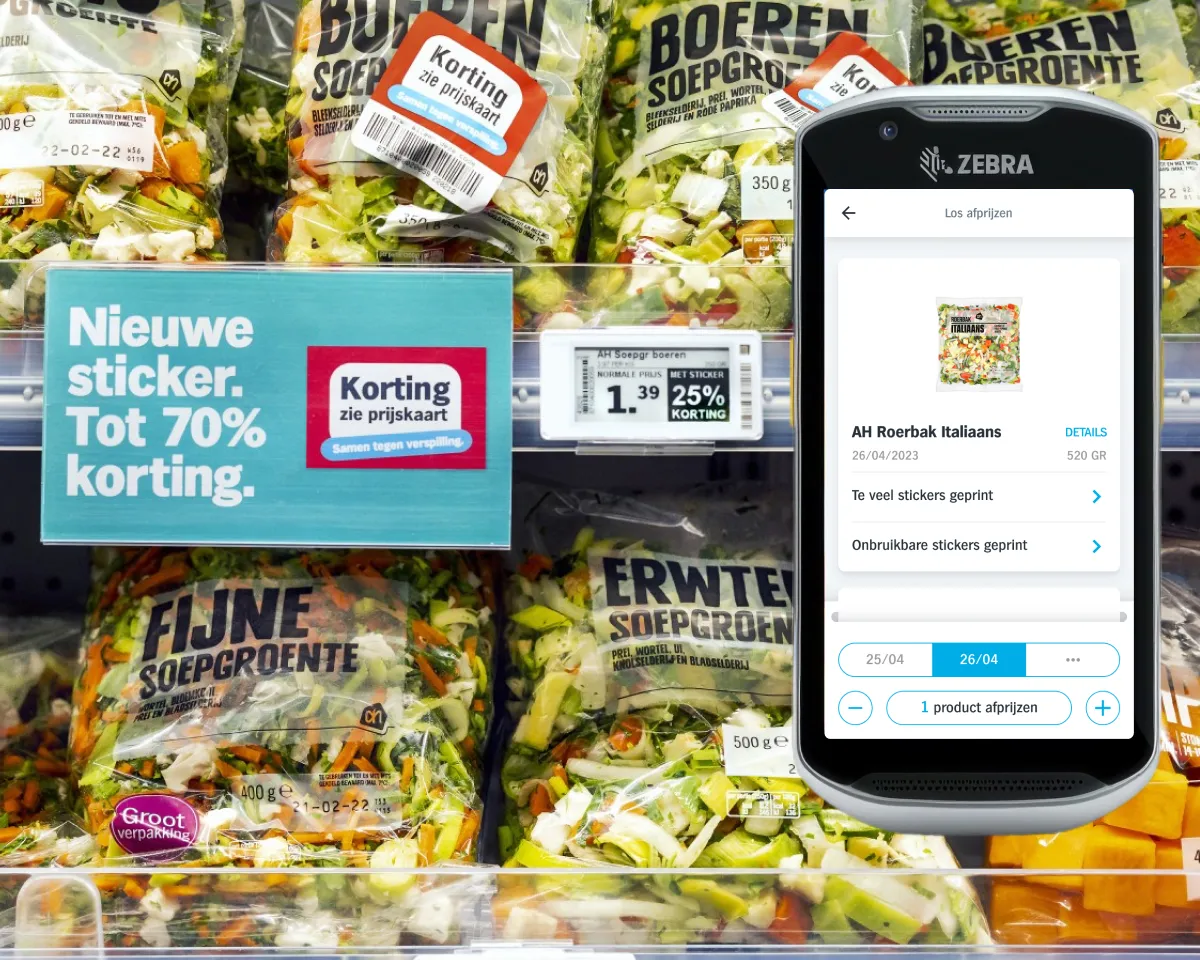
Because only the shelf label can change, products now get a sticker that says “Korting, zie prijskaart” (discount, see price tag). To calculate the right discount, the system has to track the stock of discounted products separately, for each expiry date. If every sticker is printed correctly and nothing breaks or gets stolen, that stock is always right. But stores aren’t perfect.
Design challenge
People make mistakes, and stores aren’t perfect
When it goes wrong, a product has a sticker while the shelf label and checkout show no discount. Or the shelf label shows 70% off for products that aren’t there, while customers can see them in the Albert Heijn app and sometimes come to the store for them.
Original question
How do we bring dynamic discounts into the employee store app?
→
Reframed
How do employees keep discount stock right when things go wrong, without slowing down the happy flow?
Approach
Affected processes, designed around the exceptions
I identified every process in the store app, used by over 100,000 employees, that dynamic markdown affects. The people using it are very diverse: many are young or new to the job, and often nobody explains the app to them. So everything had to explain itself.
01 Marking down After printing stickers, two buttons: "I printed too many stickers" to correct the count, and "I broke some stickers" to reprint without adding stock. Employees also choose the date they mark down for.
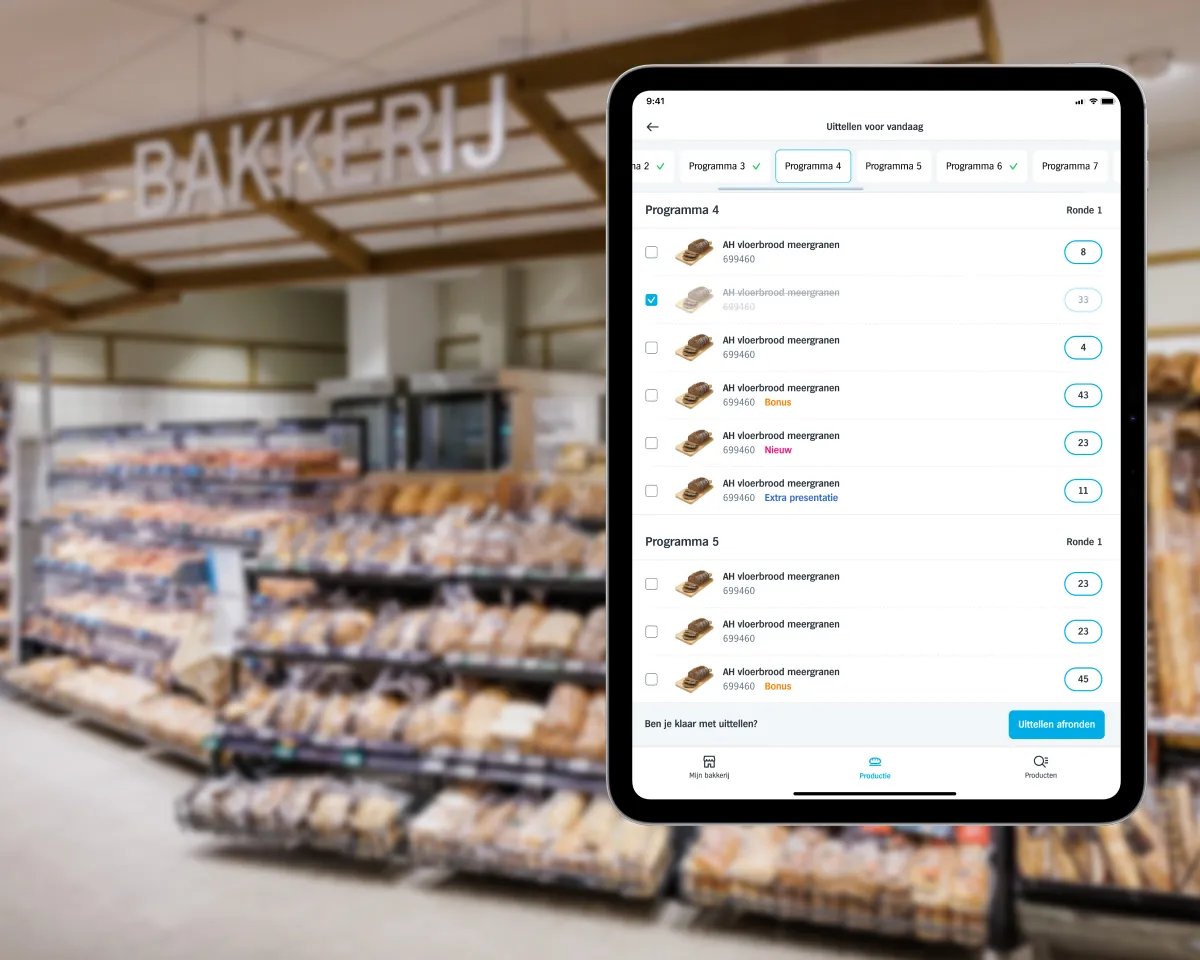
02 Code book A list that tells employees which products and dates to check. They enter how many stickers they placed and the next expiry date on the shelf, so the product comes back when that date approaches.
03 Writing off When a product leaves the store without passing the checkout, employees scan its discount sticker, and it's taken off the right discount stock.
04 Product details Next to the total stock, the product page now shows discount stock per date, which a manager or team lead can correct.
Marking down, writing off by scanning the discount sticker, and the product page with discount stock per date. Testing and iterating
Prototype - test in the store - iterate - repeat
I built the prototypes in Figma and tested them on the hand terminal the app runs on, with employees in different stores, several times for each process. Working at Albert Heijn helps: with so many stores, there is always someone to test with.
The first versions gave employees a lot of control, such as a stepper to adjust discount stock while marking down. In the end, I took that out. Hundreds of products are marked down every day in more than 1,200 stores, so one extra tap by default costs real working hours. And for someone doing the same task every day, it’s simply slower. Extra steps now only appear when something has gone wrong.
The outcome
Live in over 1,200 stores, as fast as before
stores where dynamic markdown is live 1,200+
employees using the store app 100,000+ I adapted the flows so that as much as possible happens automatically, and where employees do need to act, it’s quick and easy. Discount stock per date only shows up on the product page, for when someone actively wants to correct something.
Later, Albert Heijn added Laatste Kans Koopjes (last-chance deals) to the Albert Heijn app, where customers can see which discounted products a store still has, and how many. That feature relies heavily on these store processes being carried out carefully and accurately. Together, they make dynamic markdown one of Albert Heijn’s main measures against food waste.
Laatste Kans Koopjes in the Albert Heijn app. Photo: Albert Heijn Reflection
Making it feel simple is the hard part
Constraints made it better A good starting point was that the processes shouldn’t take employees any extra time. That pushed me to be more creative, and it made the work nicer for the people who carry out these processes every day.
Test before you fall in love Several times I thought a flow was as simple as it could get, and after the next store test I could make it simpler still. So I learned to prototype and test a lot, before falling in love with a design and believing it’s perfect. You want real feedback from the people who use it.